Grant Application Walkthrough

Navigating the Grants Portal
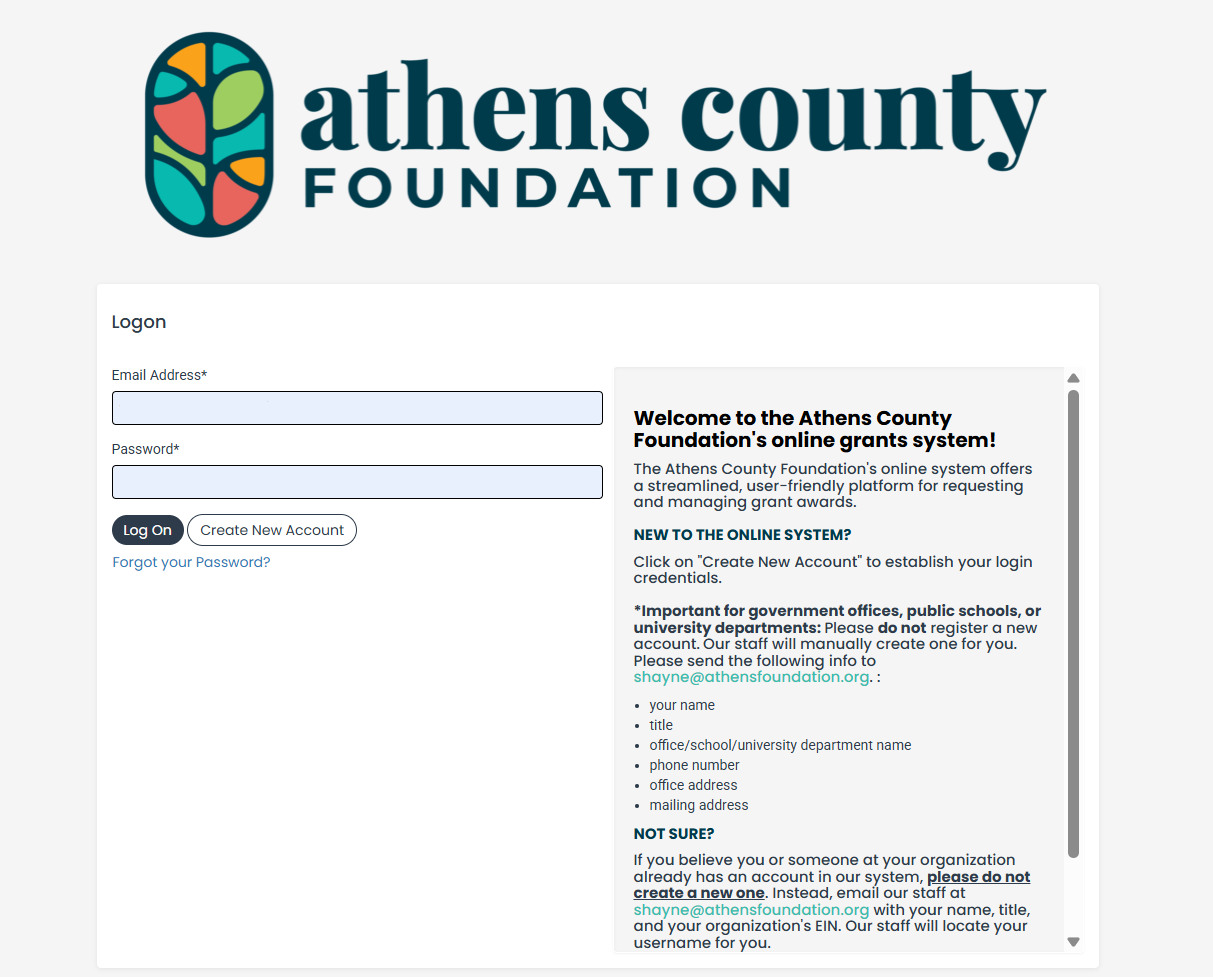
The Athens County Foundation uses Foundant’s Grant Lifecycle Manager (GLM) to manage grant applications, evaluations, and reports. All grantees are responsible for creating and maintaining their portal account, including keeping organization information current and ensuring the appropriate people have access.
To learn more how to use ACF's Grants portal, please refer to the following articles from Foundant:
- GLM Applicant Tutorial
- How to collaborate
- How to copy request
- How to submit a follow up form
- Users belonging to multiple organizations
If you are unable to use the Grants Portal, please contact ACF to discuss alternative submission options.

Fiscally Sponsored Organizations
Different funders have different processes for fiscally sponsored applicants. At ACF, the fiscal sponsor must apply on behalf of, or in collaboration with, the fiscally sponsored group or organization. The application must be submitted under the eligible fiscal sponsor’s organization profile. Fiscal sponsors may choose to:
- Add the fiscally sponsored organization’s contact as a user on their account. Please note that the organization information including grant records are visible to all contacts.
- Start the application and use the collaboration feature to invite the fiscally sponsored organization’s contact to complete portions of the form.
- Complete and submit the application on behalf of the fiscally sponsored organization.
The Grants Portal allows users to be added to an organization account and provides tools for collaborating on applications. If you have trouble using these features, please contact ACF for assistance
Application Form
ACF's grant application is divided into four major sections*:
- Organization Information
- Organizational Capacity
- Grant Request
- Optional Documents
Below, we break down each section and offer additional guidance on what we’re asking and how to approach your responses.
Note: Other grant opportunities may use different application forms, but the questions and information requested will generally be similar to ACF’s standard application.
*Depending on your answers to certain questions, additional sections may appear asking for supplemental or clarifying information.

Tip for 501(c)(3) organizations: If you see the yellow Candid logo next to a question, you can click it to automatically populate that field using information from your organization’s Candid profile. Be sure to review the information for accuracy before moving on.
1. Organization Information
This section asks for basic information about the organization applying for the grant. We use this information to confirm eligibility and complete our due diligence. If you are fiscally sponsored, please provide information about your fiscal sponsor.
- Organization Name: Enter your organization’s legal name as it appears on your official documents. We will use this information, along with the EIN associated with your profile, to verify your organization’s status with the IRS and, when necessary, the State of Ohio.
- Website: If you do not have a website, you may provide a link to an active social media page instead. If you have neither, you may leave this field blank.
- Organization Type: ACF primarily makes grants to organizations recognized by the IRS as 501(c)(3) public charities, which is why 501(c)(3) is the primary nonprofit option listed in the application. If your organization has another nonprofit or tax-exempt classification, please contact ACF before applying so we can determine whether your organization and request are eligible.
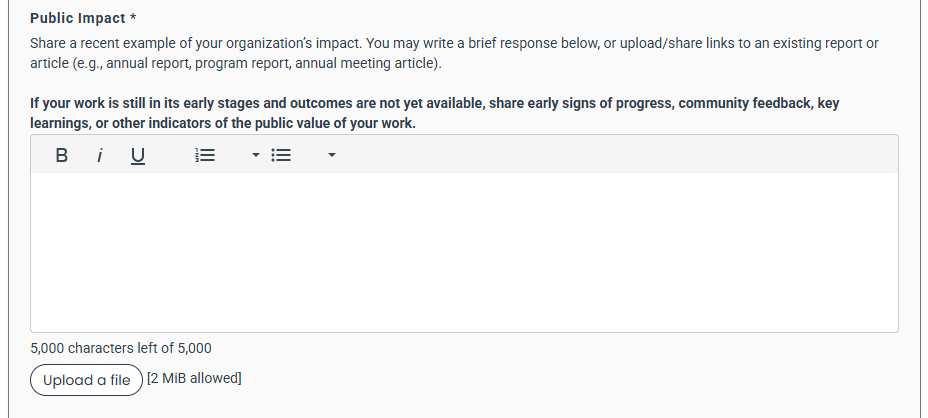
Text Field Tip: When you see an upload option below a text field, you may upload an existing document instead of writing a new response. If the information already exists in a project plan, another funder’s application, or a similar document, feel free to use it. No need to recreate what you already have.
2. Organizational Capacity
This section helps us get a fuller picture of the applicant organization (or fiscal sponsor). These details help us understand your organization’s size and structure and provide additional information needed for our due diligence process.
3. Grant Request
This section focuses on the details of your grant request and is organized into three parts: Basic Information, Proposal Narrative, and Financials.
Our goal is to understand what you are asking ACF to support, why it matters, and what our investment could make possible.
Basic Information
- Proposal Title: This helps us identify your grant application. Please keep this short but still descriptive as this is synced with our financial system and, if your request is approved, will appear in your check.
- Location(s) of Intended Impact: Tell us where the primary impact of the grant will occur. This information helps us understand and map the geographic reach of our grantmaking across Athens County. Geography may also be considered during the review process as the Grants Committee looks at the overall mix of requests, community circumstances, and opportunities to support communities throughout the county.
- Type of Support: This helps us understand the different ways our grantmaking supports community impact and connects to ACF's Theory of Change. Please select the best category or categories that best fit the intended use of ACF's funds.
- Campaign Disclosure: This helps us understand whether your request is connected to an ongoing large-scale fundraising campaign (Capital, Comprehensive, or Capacity). Your disclosure helps ACF understand the full scope of the effort and consider the most appropriate funding approach. In some circumstances, ACF may consider a multi-year commitment. Multi-year funding can allow us to support a larger effort over time while preserving resources to respond to other community needs and opportunities each year.
Please Note: ACF does not fund endowments through our competitive grantmaking program.
Proposal Narrative
We want to understand the connection between your request and the community benefit your organization creates. For some requests, that connection may be immediately apparent. For others, particularly general operating, capacity-building, or capital requests, you may need to help us understand what the investment will make possible.
Whatever type of support you are requesting, connect your request to your organization's mission and the public or community value your work creates.
- General Operating Support: Explain how supporting your day-to-day operations helps your organization carry out its mission. For example, if requesting support for an Executive Director’s salary, describe the programs, partnerships, or community work they will lead. If requesting accounting support, explain how sound financial management helps your organization responsibly sustain its services.
- Capacity Building: Describe the capacity you want to strengthen and how that investment will improve your organization's ability to carry out its mission or serve the community. For example, if you are requesting staff training, explain what staff will learn and how those skills will strengthen your work. If you are purchasing technology or hiring a consultant, describe what the investment will enable your organization to do more effectively.
- Project or Program Support: Describe what you plan to do, who will participate or benefit, and what you hope will happen as a result. For example, a youth program might describe the activities it will offer, the young people it hopes to engage, and the skills, relationships, experiences, or opportunities participants may gain.
- Event Sponsorship: Help us understand what the event makes possible for the community beyond the event itself. For example, a community festival might create opportunities for connection and belonging, celebrate local culture, support artists or small businesses, or increase access to arts and cultural experiences.
- Seed or Innovation Funding: Describe the idea you want to explore, the opportunity it addresses, and what you hope to learn or demonstrate. For example, funding might allow several organizations to test a new collaborative approach before determining whether it should become an ongoing program.
- Capital Support: Describe how the physical investment will support your mission and what it will make possible for the community. For example, a building renovation might create a safer, more accessible space for programs or a new equipment might allow an organization to serve more people or offer a new service.
Financials
- Total Budget: Provide the total cost associated with the request. If the expense occurs annually, provide the total annual cost. For example, if you are requesting support for an Executive Director's salary, provide the full annual salary associated with the position. If you are requesting program support, provide the total program budget for the period covered by the request.
- Overall dollar of resource secured to support proposed project: Tell us how much funding or other financial resources have already been secured for the proposed work. This information helps us understand the broader financial picture. Being early in your fundraising process will not automatically disadvantage your request, nor does having substantial funding already secured guarantee funding. In some cases, this context may help the Grants Committee understand the role an ACF grant could play in moving the work forward.
- Amount Requested: We encourage you to ask for the amount you reasonably need rather than trying to anticipate what you think ACF will award. If your need falls within a range, you may request the higher amount and use the partial funding section to help us understand what could still be accomplished at a lower funding level. If your request is part of a larger campaign, you may request the amount that would be most meaningful to the effort. Use the Campaign Disclosure and Partial Funding sections to tell us whether funding could be distributed over multiple years and what timing would be most helpful.
- Partial Payment: ACF has a limited amount of funding available in each grant cycle, and we may not always be able to fund a request in full. This question helps us understand whether a partial grant would still be useful and, if so, what level of funding would remain meaningful. If partial funding is possible, tell us what you would prioritize or what could reasonably be accomplished at a lower amount. If any amount of support would be helpful, you can tell us that too.
We recognize that you know your organization, project, and costs better than we do. We rely on your estimates and priorities rather than asking our reviewers to determine what your work should cost. Sharing this information helps us make more informed funding decisions when the full requested amount is not available.
Optional Documents
Use this section to upload supplementary materials or share additional information that you believe would help us understand your request. Additional materials are optional. Please do not feel that you need to create new documents specifically for your application. If you already have something that provides useful context, you are welcome to share it.
Please note that the application system limits the number of files that can be uploaded.
Evaluation
Grantmaking at the Athens County Foundation is not a simple ranking system where proposals are scored from “best” to “worst.” Each request is considered on its own merits and within the context of the full grant cycle.
Funding decisions reflect many factors, including the need or opportunity being addressed, potential community impact, the proposed approach, community input and alignment, available funding, fund restrictions, and the overall mix of requests received. Because that context changes from cycle to cycle, a strong proposal may not always receive funding or its full request. A declined proposal does not necessarily reflect negatively on the organization or its work.
----------------------------
ACF uses a combination of individual review, scoring, and committee discussion to make grant decisions. Our review process is designed to provide a consistent starting point for evaluating requests while recognizing that a score alone cannot capture the full context or value of a proposed project.
- Staff Review: ACF staff first review applications for eligibility and fit with the grant opportunity. Applications that meet the basic requirements move forward to the Grants Committee for review.
- Committee Review and Scoring: Before the Grants Committee meets, reviewers independently read and score eligible applications:
- Proposal Score
- Community Impact and Alignment: What impact could this work create, and is it appropriately grounded in the community it intends to benefit?
- Approach: Does the proposed approach make sense for what the applicant is trying to accomplish?
- Funding Priority Score: How important is it to award grant at this time?
Scores provide a consistent starting point for committee deliberations. They are not intended to measure the worthiness of an organization or community, nor are they the sole basis for a funding decision. - Committee Discussion and Prioritization: Applications are generally discussed in order of their combined reviewer scores. During these discussions, committee members consider the application, reviewer perspectives, available funding, and the broader context of the grant cycle. Discussion may surface information or considerations that are not fully reflected in the initial scores.
Higher-scoring applications generally receive earlier consideration for funding and may be more likely to receive a larger portion of their requested amount. Final decisions reflect the committee’s discussion alongside the resources and funding options available.
Our Commitment
No evaluation process can fully capture the complexity of every organization, community, or idea. Our goal is to understand each request as fully as we can and make thoughtful decisions about how ACF’s resources can support our community. We rely on applicants to help us understand the context behind their work and create opportunities throughout the process for questions, clarification, and additional information.
All grant reviewers at ACF follow a Conflict of Interest Policy, including disclosure and recusal when appropriate, to support fair and impartial review.
We also periodically review our grantmaking practices and criteria, incorporating feedback from applicants, grantees, community members, and reviewers as we continue to improve our process.
Resources for Applicants
Connect
Shayne Lopez
Program Director,
Grantmaking and Community Impact